
 The PCIe/104 Qseven Carrier Board is ideal for a broad range of embedded applications.
 -
Spec Sheet
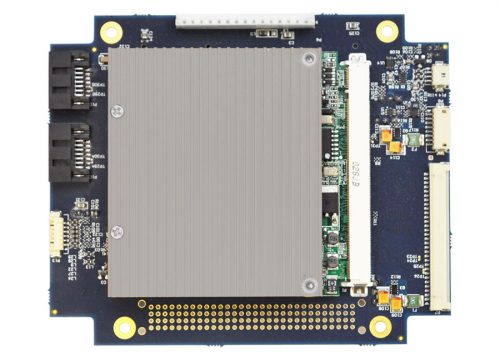
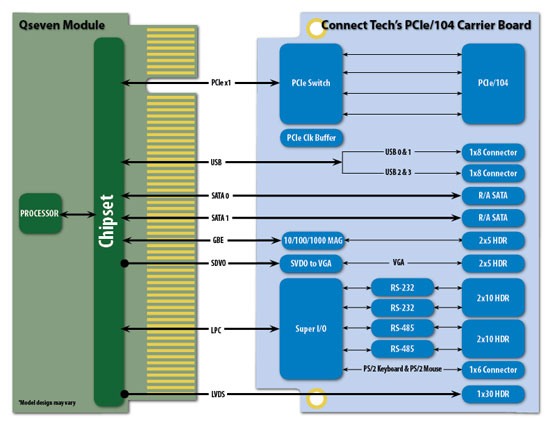
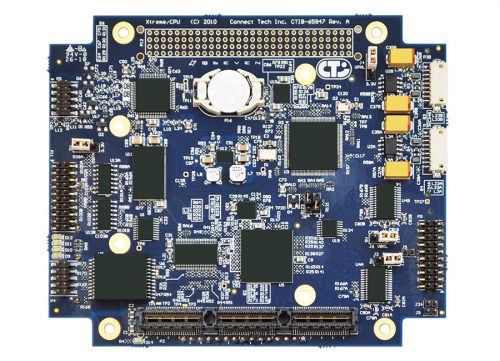 Connect Tech’s PCIe/104 Qseven Carrier Board is a small embedded carrier board that allows complete integration with any industry standard Qseven module. This carrier board utilizes the PC/104 form factor with 4 x1 PCIe lanes, and the PCIe/104 bus. The on-board connectors enable connection to SATA, USB, Ethernet, LVDS Video, VGA Video, and RS-232 & RS-422/485. Easily upgrade to the latest processor and memory technology while maintaining the I/O interfaces.
The PCIe/104 Qseven Carrier Board is ideal for a broad range of embedded applications.
Connect Tech’s PCIe/104 Qseven Carrier Board is a small embedded carrier board that allows complete integration with any industry standard Qseven module. This carrier board utilizes the PC/104 form factor with 4 x1 PCIe lanes, and the PCIe/104 bus. The on-board connectors enable connection to SATA, USB, Ethernet, LVDS Video, VGA Video, and RS-232 & RS-422/485. Easily upgrade to the latest processor and memory technology while maintaining the I/O interfaces.
The PCIe/104 Qseven Carrier Board is ideal for a broad range of embedded applications. -
Spec Sheet
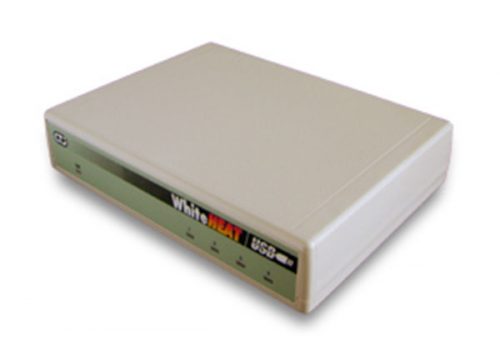 The high performance WhiteHEAT/USB brings a revolution in multi-port serial communications to USB bus compatible computers. This low profile adapter easily and conveniently connects your serial peripherals to your computer, be they industrial infrared sensors or home office fax machines. Affordable, reliable, and fast, the WhiteHEAT lets you Plug and Play to get the most out of your POS device, modem or security device.
 -
Spec Sheet
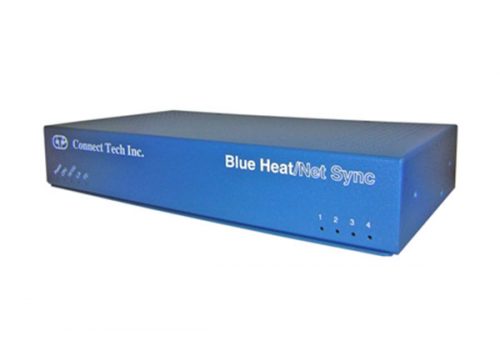 Connect Tech's Blue Heat/Net Sync offers a synchronous Ethernet-to-serial solution for data communications. Based on the robust uCLinux (Linux embedded operating system), the Blue Heat/Net Sync can be programmed with application specific protocols. Blue Heat/Net Sync incorporates multiple electrical interfaces and remote configurability to free devices from a physical connection. Remote access increases location flexibility and simplifies future installations or upgrades, reducing costs. The Blue Heat/Net Sync can be configured and controlled via serial interface or remotely via web based HTTP. With the option to boot from on-board Flash memory or a network location, updating devices in the field can be done from a central location.
 -
Spec Sheet
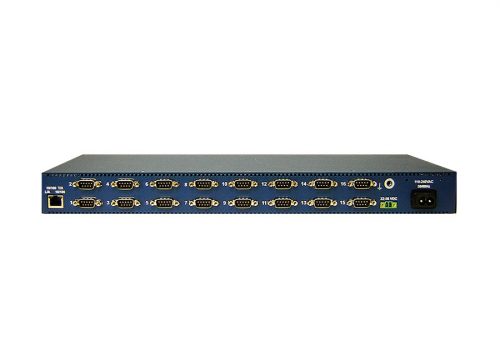
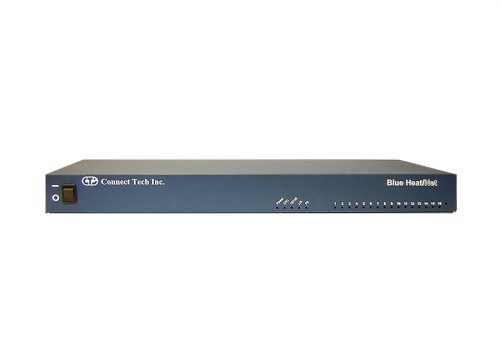 Remotely access devices with the Blue Heat/Net 16 Ethernet-to-serial device. Directly connect devices to your Ethernet LAN via 16 software selectable RS-232/422/485 ports. Remote access not only frees your devices from a physical connection increasing location flexibility, but also simplifies future installations or upgrades and reduces cabling costs. All Blue Heat/Net Ethernet-to-serial devices can be configured and controlled via serial interface, or remotely via Telnet or web-based HTTP. Blue Heat/Net includes an auto-sensing 10/100 Ethernet interface and can achieve data speeds up to 460.8 Kbps per port. Ports are independently configurable and software customization is a breeze. Based on the uClinux embedded operating system, this Ethernet-to-serial device offers programmers a familiar Linux API. Connect Tech includes a full range of open source development tools via its free Software Development Kit. You can create customized protocols and download them directly to the on-board Flash memory, making the Blue Heat/Net one of the most flexible Ethernet-to-serial products on the market. Industrial protocol, Power over Ethernet (PoE) and industrial temperature grade Ethernet-to-serial options also available on select models.
 -
Spec Sheet
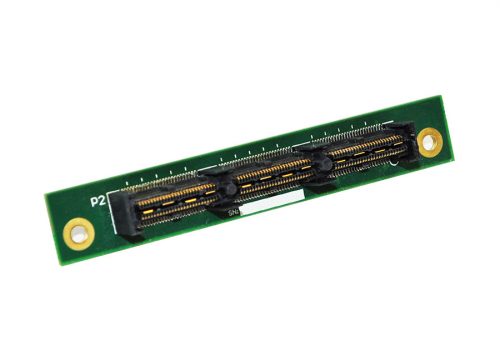
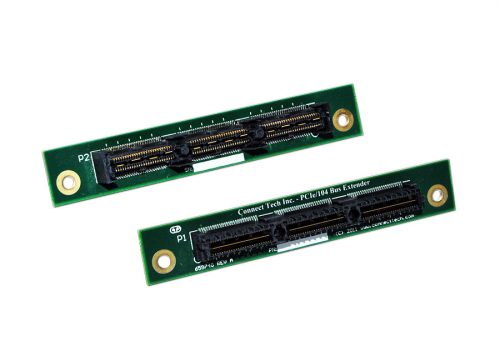 Connect Tech’s PCIe/104 Bus Extender can be used to allow one additional card height spacing between peripherals in a PCIe/104 or PCI/104-Express stack. The PCIe/104 Bus Extender can be used to allow the additional space required for objects such as heatsinks, I/O connectors, cables or other components that can cause clearance issues in your PCI/104-Express stack.
 -
Spec Sheet
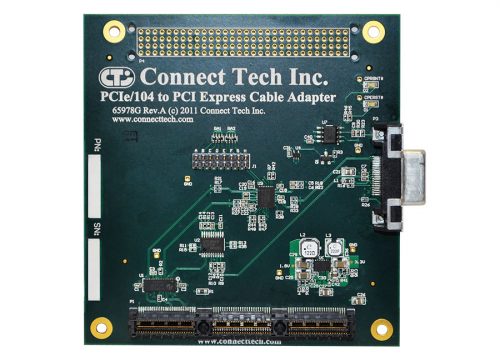 Connect Tech’s PCIe/104 to PCI Express Cable Adapter provides an interface from the PCIe/104 (PCI/104-Express) bus to a PCI Express cable connection. The adapter is completely transparent to the PCI Express bus and allows the use of a PCI Express device outside of the PCI/104-Express system stack.
 -
Spec Sheet
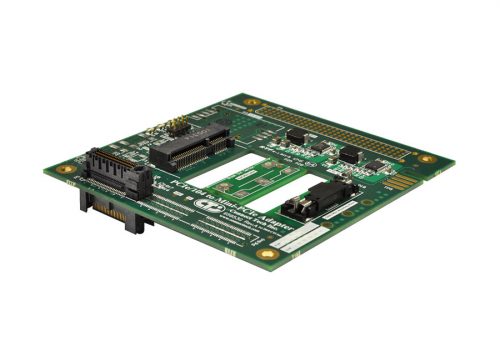
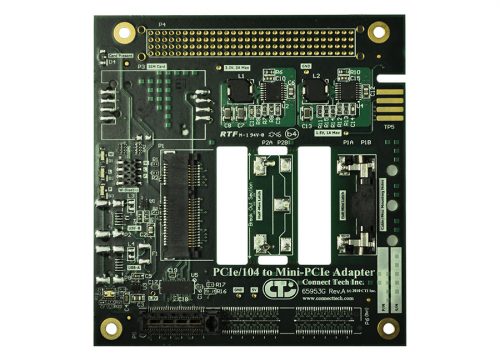 Connect Tech’s PCIe/104 to Single/Dual Mini-PCIe Card Adapters easily enable integration of a Mini-PCIe (PCI Express Mini) card into a PCIe/104 or PC/104-Express system. Expand the Capabilities of an Existing PCIe/104 or PC/104-Express System PCIe/104 to Single/Dual Mini-PCIe Card Adapters are fully compatible with any Mini-PCIe peripheral, expanding the capabilities of an existing PCIe/104 or PC/104-Express system. Add features such as WiFi, GPS, Bluetooth, storage and broadband communications.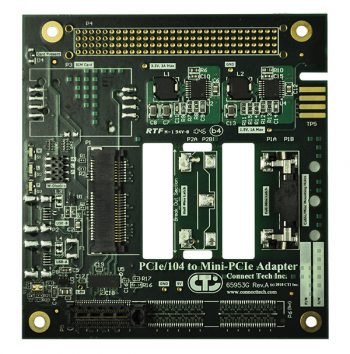
Part #: ADG028
PCIe/104 to Dual Mini-PCIe Card Adapter
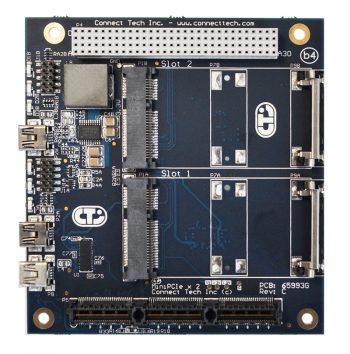
Part #: ADG044
-
Spec Sheet
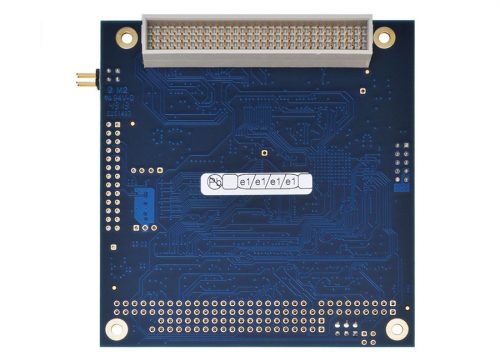
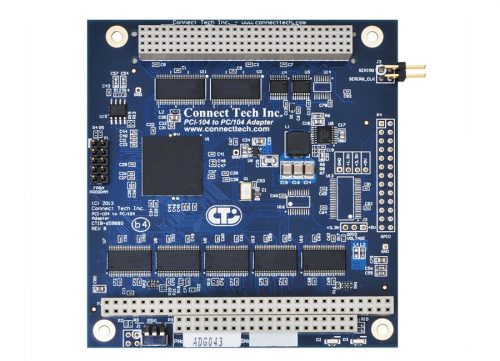 Connect Tech’s PCI-104 to PC/104 Adapter allows for the testing and development of PC/104 (ISA) devices in a PCI-104 (PCI) only system. The PCI-104 to PC/104 Adapter converts transactions on the PCI-104 bus to PC/104 bus transactions (PCI to ISA).
 -
Spec Sheet
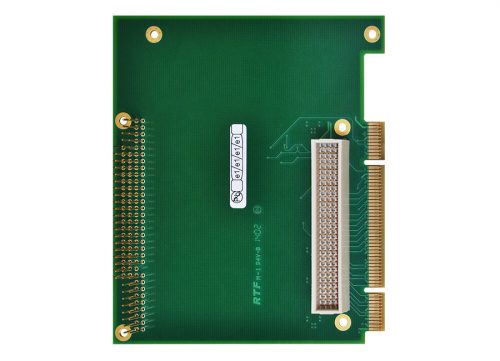
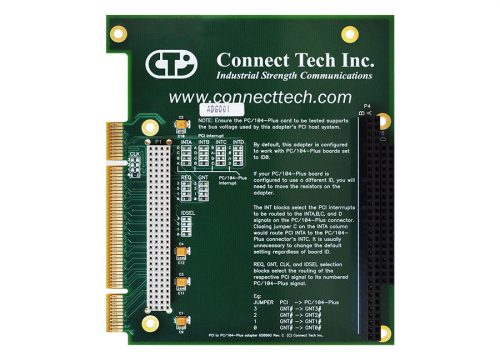 This passive extender card allows developers to mount a PCI-104 or PC/104-Plus card into a Universal PCI bus system. The adapter is equipped with a stack-through connector so the test card can be installed on either side (model ADG001), enabling probing on the front or the back. The design also allows cables to exit from the host PC for easy connection to external devices.
 -
Spec Sheet
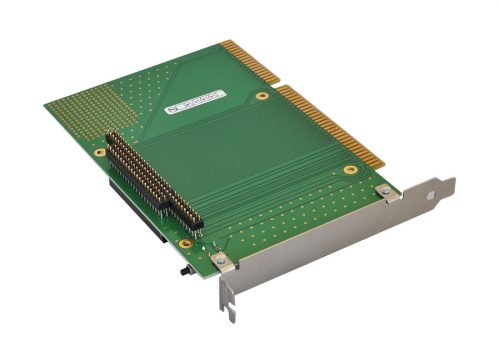
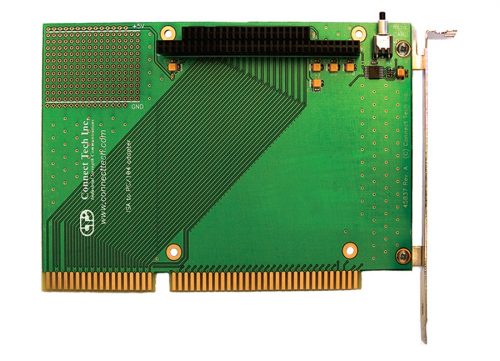 This passive extender card allows developers to install an 8 or 16-bit PC/104 card into a standard ISA bus PC system, avoiding the need for a dedicated PC/104 stack for development work. The adapter is equipped with a stack-through connector so the test card can be installed on either side enabling probing on the front or the back. The design also includes a reset button, for convenient push-button resetting of the test card without resetting the host computer. This feature is extremely useful when debugging hardware interactions requiring a hardware "clean slate".
Standard Usage
Simply stack the test PC/104 card onto the adapter's PC/104 connectors and insert the adapter into the host system's ISA slot. No additional configuration is required. Important Note: Only one PC/104 card can be used per adapter card. -
Spec Sheet
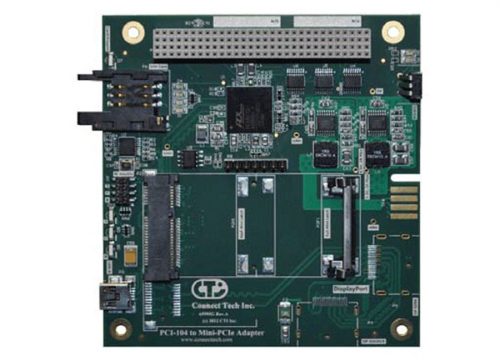 Connect Tech’s PCI-104 to Mini-PCIe Card Adapter easily enables integration of a Mini-PCIe (PCI Express Mini) card into a PCI-104 system. The PCI-104 to Mini-PCIe Card Adapter is fully compatible with any Mini-PCIe peripheral, expanding the capabilities of an existing PCI-104 system. Add features such as WiFi, GPS, Bluetooth, storage and broadband communications. The Mini-PCIe Card Adapter can also support optional Mini-PCIe features such as USB and SIM Card usage for WLAN applications.
 -
Spec Sheet
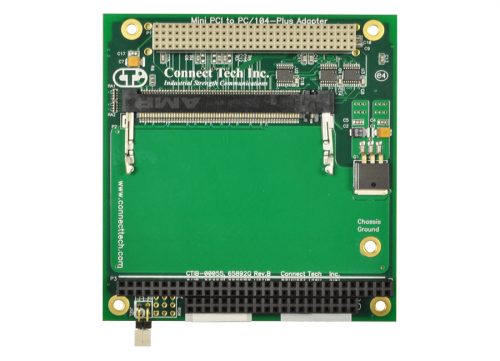 This adapter allows users to install a Mini PCI card, such as an IEEE 802.11 wireless LAN card, into a standard 3.3 or 5V PC/104-Plus stack. Equipped with a passive PC/104 stack-through connector, the card can be installed in a PC/104-Plus stack without interfering with the signals of PC/104 cards located above or below. The adapter includes a 3.3V regulator for use in 5V-only systems.
Standard Usage and ID Selection
Simply insert the Mini PCI card into socket on the card and insert into the host system's PC/104-Plus stack. Each card within the stack must have a unique ID ranging from zero to three. You will be required to set a pair of jumpers to specify where your card is located within the stack. (Ensure that no two boards share an ID number.) The jumpers remain unpopulated for an ID of zero. Populate the left jumper for an ID of one, right jumper for an ID of two, and populate both for an ID of three. No additional configuration is required. -
Spec Sheet
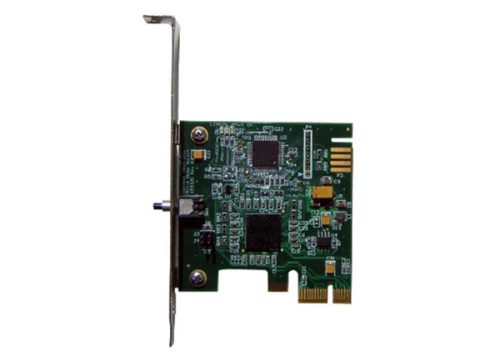 The PCIe Dump Switch card debugs system hangs with ease to save time and frustration. It is essential hardware for every developer. When systems freeze during development or testing, a hardware reset results in loss of crucial information that could be used to analyze the root problem. Instead of spending hours of valuable time sourcing the cause of the system hang, the PCIe Dump Switch identifies bugs at the push of a button. The button on the PCIe Dump Switch triggers a Non-Maskable Interrupt (NMI), enabling a crash dump or drops execution into your operating system's debugger. This dump action preserves information that would normally be lost during a reset.
Standard Usage
Click to download the General Usage Notes, including notes for Windows, Linux and QNX4 as well as general operating instructions. -
Spec Sheet
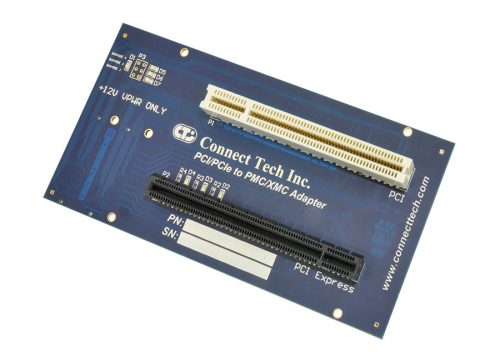
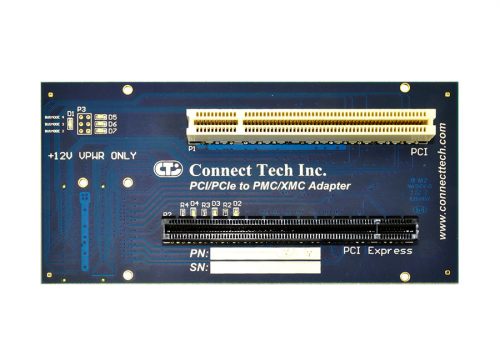 Connect Tech’s PCI/PCIe to PMC/XMC Adapter enables users to link a standard PCIe card to a XMC Carrier, or a standard PCI card to a PMC Carrier. The ADG052 is transparent to the PMC/XMC Carrier system and allows for communication, testing, and/or debugging of the Carrier. The ability to test both PCI and PCIe cards, without additional setup or software, enables easy PCI to PMC or PCIe to XMC design development. Standard Usage Guide For standard usage of the ADG052, simply insert into a PMC/XMC Carrier. Connect the desired PCI or PCIe cards into the Adapter. The LEDs on the Adapter serve a few purposes: D1: Busmode 1 D2: XMC GA2 D3: XMC GA1 D4: XMC GA0 D5: Busmode 4 D6: Busmode 3 D7: Busmode 2 For assembly, ensure that proper Electro Static Discharge (ESD) practices are followed.
 -
Spec Sheet
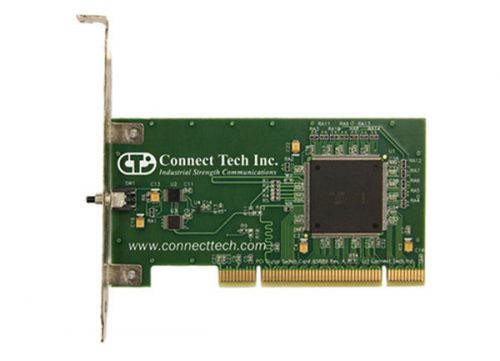 This handy development tool will pay for itself the first time you push the button. It is essential hardware for the system of every developer working on programs such as device drivers or interrupt handlers. When a system freezes during software programming and testing, a hardware reset results in the loss of crucial system information, along with valuable development time. The Universal PCI Dump Switch card increases your productivity by eliminating the guess work normally required to debug the cause of the system hang. It includes an exterior push button to trigger a Non-Maskable Interrupt (NMI), which will enable a crash dump, or drop you into your operating system's debugger. With this card, a software debugger can troubleshoot events even when the bug causes a complete lock of the operating system. (The PCI Dump Card does not reset the host computer.)
Standard Usage
Download the General Usage Notes, including notes for Windows, Linux and QNX4 as well as general operating instructions. -
Spec Sheet
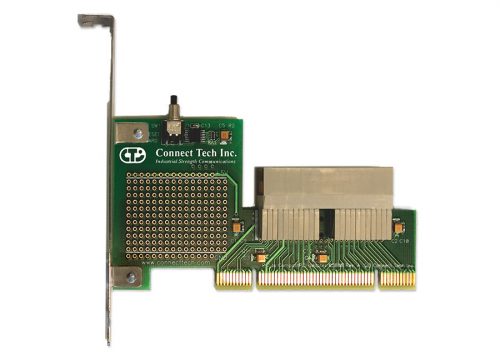 This passive extender card allows developers to install a CompactPCI card into a standard Universal 3.3V or 5V PCI system, avoiding the need for a dedicated CompactPCI system for development work. The design also includes a reset button, for convenient push-button resetting of the test card without resetting the host computer. This feature is extremely useful when debugging hardware interactions requiring a hardware "clean slate". (This is a hardware reset only. It does not restore the PCI configuration space.) NOTE: Ensure the cPCI card under test supports the bus voltage used by the adapter’s PCI host system. Consult your system documentation to determine the voltage on your PCI connector.
Standard Usage
Insert the adapter into the desired slot in your host system. Connect the test cPCI card into the connector. -
Spec Sheet
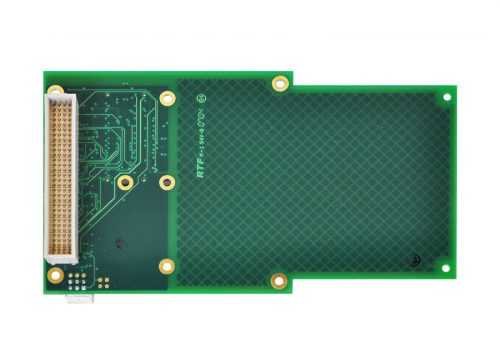
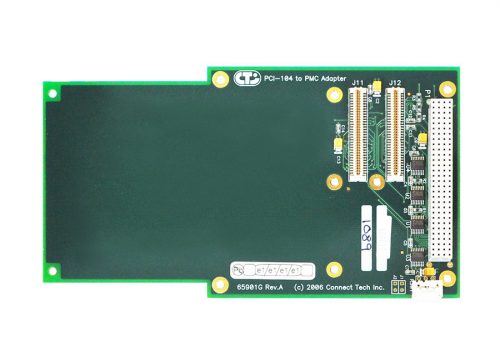 This convenient adapter board allows PMC cards such as an IEEE 1386.1 card to be easily incorporated into an existing PCI-104 stack. The design includes signal multiplexing circuits, allowing multiple PMC cards to operate in a PCI-104 stack using multiple adapters simultaneously. Constructed with GND and Power Planes, this adapter has exemplary signal integrity and low DC resistance.
Standard Usage
Simply mount the PMC card to the adapter, set the PCI-104 slot selector switch and place into the host system’s PCI-104 stack. -
Spec Sheet
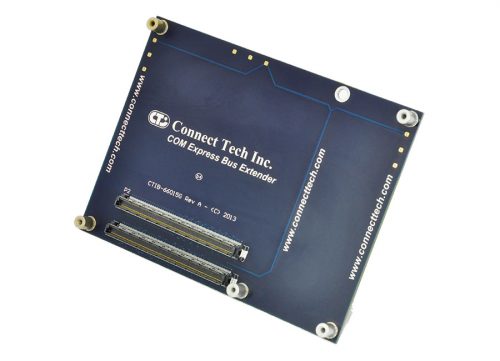
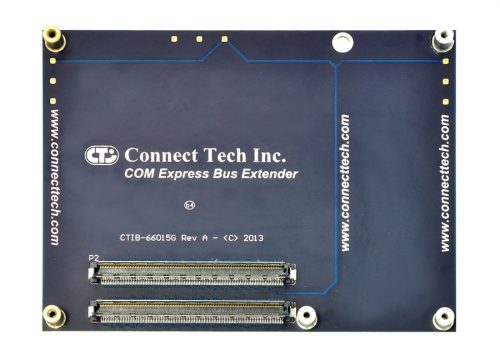 Connect Tech’s COM Express® Bus Extender provides relief to small batch COM Express® testing cycles. Designed to extend the life of your COM Express® Module/Carrier connectors, this impedance controlled design allows for full Type 2 or Type 6 COM Express® system functionality without compromising the testing process. With solid solder mount standoffs, the COM Express® Bus Extender can be used with Compact or Basic COM Express® Modules. Save your expensive modules by wearing out the insertion rating of Connect Tech’s COM Express® Bus Extender.
 -
Spec Sheet
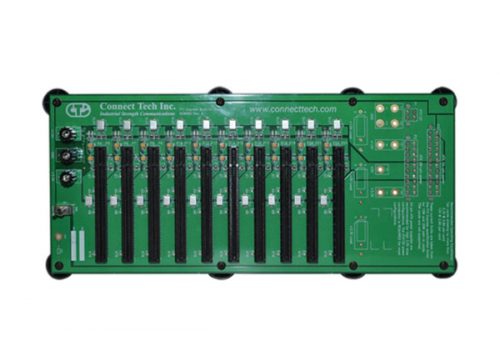 This circuit board allows the burn-in of up to 10 15W or 25W PCI Express cards simultaneously without the need for a dedicated computer system. Thick copper construction maintains low temperatures even for very high loads, while individually fused and filtered slots protect boards from surges. Binding posts are included to allow the connection of monitoring equipment, bench power supplies or a DMM.
 -
Spec Sheet
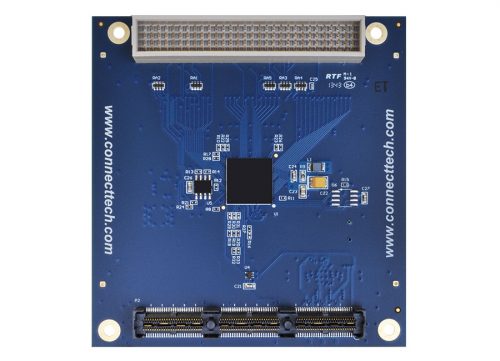
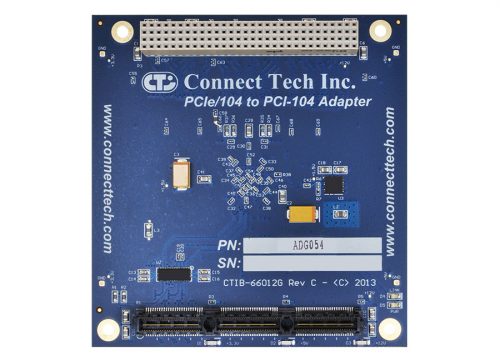 Expand the capabilities of your PCIe/104 systems, by incorporating PCI-104 cards into your stack. Connect Tech’s PCIe/104 to PCI-104 Adapter enables users to add four PCI-104 compatible boards into either a stack up or stack down configuration. With a full PCIe/104 pass-through, the use of PCI/104 - Express cards is also possible. The Adapter also accesses the PCIe x1 Bank, leaving the x16 Bank open for more intensive operations. Standard Usage Guide For standard usage of the ADG054, simply insert into a host system’s PCIe/104 slot. Connect the desired PCI-104 or PCI/104-Express cards to the Adapter. Remember to set the unique ID for each of the selected cards and that no two boards share the same unique ID. The LEDs on the Adapter indicate three important things. Each of the three blue LEDs represent a power rail that is part of the PCIe/104 stack. The Red PWR LED displays that the on board PLX8112 chip is being properly powered. Finally, the Red LINK LED displays that the board has successfully connected on the PCIe Lane. For stack assembly, ensure that proper Electro Static Discharge (ESD) practices are followed.
 -
Spec Sheet
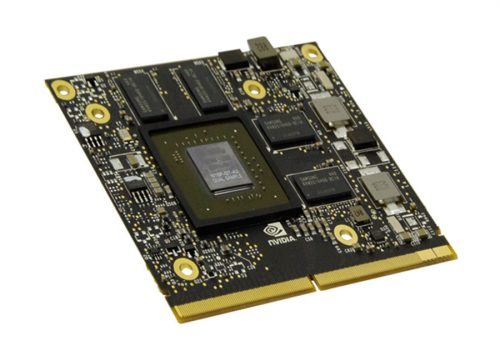 Based on NVIDIA’s Maxwell™ architecture GeForce™ GTX 950M GPU, this MXM module from Aetina delivers improved performance over previous-generation chip sets while delivering unmatched power efficiency. The GeForce GTX 950M delivers unsurpassed graphics, video and GPU computing performance and is an Ideal solution for performance driven systems such as medical imaging, gaming, defense, and military/aerospace applications. With 640 CUDA® cores, you can unlock the power of the GPU’s processor cores to accelerate the most demanding tasks such as video transcoding, physics simulation, ray tracing, and more while delivering incredible performance improvements over traditional CPUs. The compact MXM solution is perfectly geared towards the embedded market; based on the industry standard MXM 3.0 (70x82mm) small footprint design, the PAR-M3N950M-MN module offers flexibility and upgradability, perfect for performance and graphics intensive embedded applications. PAR-M3N950M-MN supports NVIDIA new Optimus technology which can seamlessly transition between NVIDIA graphics and an integrated graphics processor (IGP) which intelligently optimizes the application, providing outstanding graphics performance when you need it. Supports: DirectX® 12 API , OpenGL® 4.4 ,OpenCL® 1.1 , Optimus™, Battery Boost, GPU Boost, Direct Compute and NVIDIA® PhysX
 -
Spec Sheet
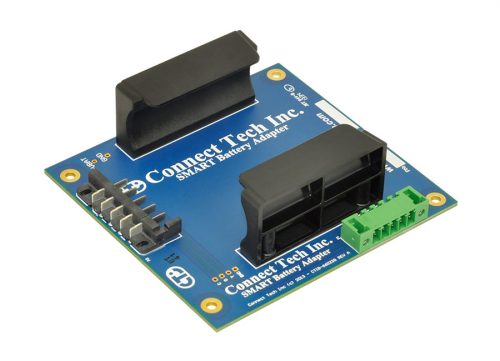
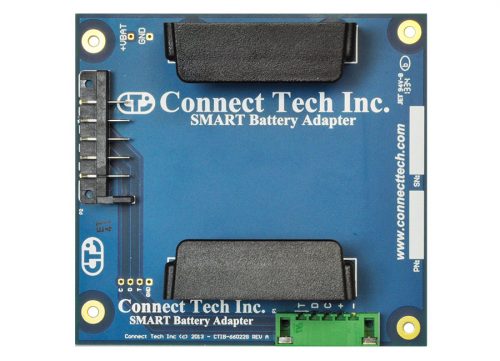 Connect Tech’s Smart Battery Adapter allows for easy integration of a SMART battery into an existing PC/104 system. Used in combination with the Xtreme/PSU-UPS power supply, it provides a complete Power Supply solution with uninterrupted power supply and battery backup functionality.
 -
Spec Sheet
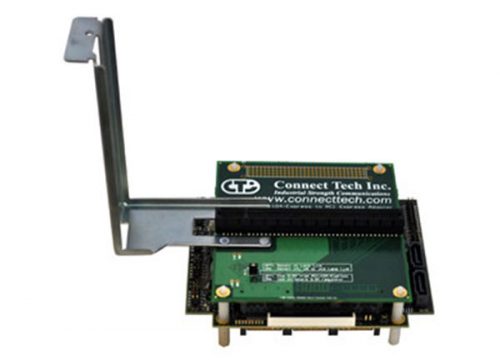 Connect Tech's PCIe/104 to PCI Express Top Stacking adapter allows users to install any x1, x4, x8 or x16 lane PCI Express card into a PCIe/104 or PCI/104-Express stack up configuration. This convenient adapter board enables the testing and development for standard PCI Express cards in the PCIe/104 or PCI/104-Express environment. Standard Usage This adapter supports any x1, x4, x8 or x16 lane PCI Express add-in card. Simply mount the add-in card to the adapter and install the adapter on the top of a PCIe/104 or PCI/104-Express stack. Once everything is connected, you may begin using the add-in card just as you would any other PCI/104-Express add-in card. No additional configuration is required. Click here to view a list of compatible CPU boards with this adapter.
 -
Spec Sheet
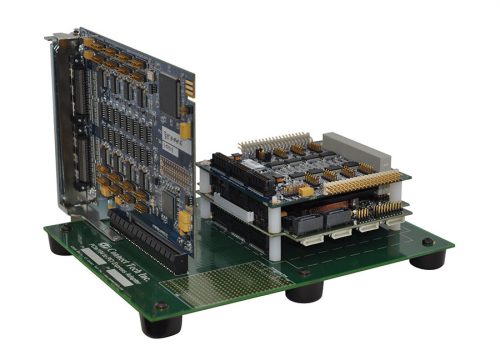 Connect Tech's PCIe/104 to PCI Express Bottom Stacking adapter allows users to install any x1, x4, x8 or x16 lane PCI Express card into a PCIe/104 or PCI/104-Express stack down configuration. This convenient adapter board enables the testing and development for standard PCI Express cards in the PCIe/104 or PCI/104-Express environment. Standard Usage This adapter supports any x1, x4, x8 or x16 lane PCI Express add-in card. Simply mount the PCI Express stack to the adapter and install the PCI Express card into the slot. Once everything is connected, you may begin using the add-in card just as you would any other PCI/104-Express add-in card. No additional configuration is required. Click here to view a list of compatible CPU boards with this adapter. ***An ADG021 variant is now available to better support additional user configurations, specifically those who have one or more peripheral card installed between the SBC and adaptor. You may continue to use the ADG021 with all x1, x4, x8 and x16 PCIe cards, provided no PCIe/104 cards are inserted between the SBC and adaptor. For customers requiring one or more x1 PCIe/104 cards between the SBC and the PCIe/104 to PCIe adapter, but who are using ONLY x1 cards in the adaptor, the correct part number is ADG055. The ADG055 does not support x4, x8 or x16 PCIe cards except when they are able to function as an x1 card. Customers using PCIe/104 cards between the SBC and adaptor with only x4, x8 or x16 PCIe cards should continue to use the ADG021.***